MailBeast organizes all your account, billing, and workspace configuration into a single Settings area. This article gives you a quick tour of what you can find there and where to go for specific tasks.
Click Settings in the bottom of the left sidebar navigation.
You will land on the Profile tab by default.
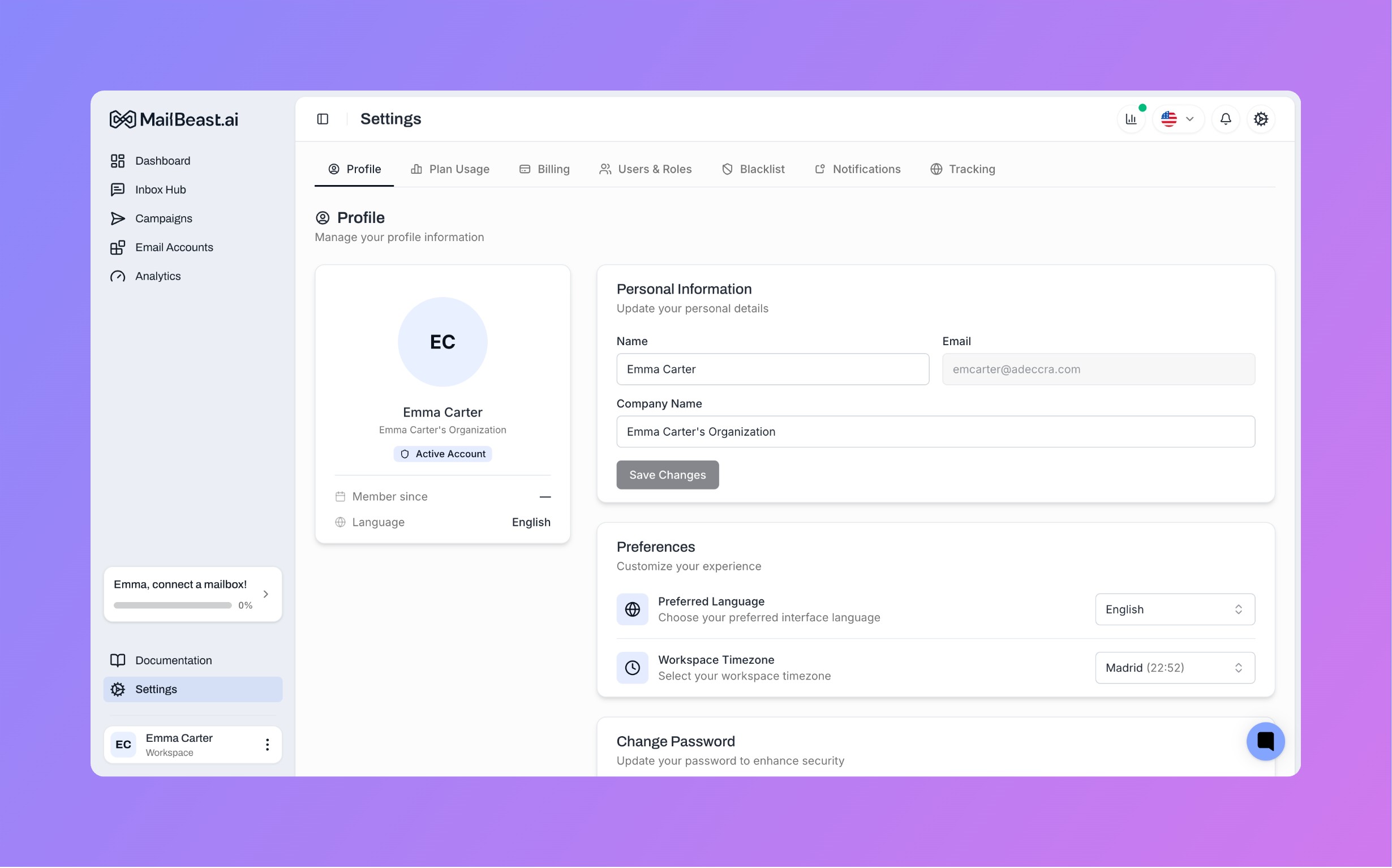
The Settings area is organized into the following tabs along the top:
Tab | What It Does |
|---|---|
Profile | Edit your name, company name, avatar, language, timezone, and password |
Plan Usage | View your current plan limits, purchase add-ons, and compare available plans |
Billing | Manage your subscription, payment method, billing details, and download invoices |
Users & Roles | Invite team members, assign roles (Owner, Admin, Viewer), and manage access |
Blacklist | Manage email addresses and domains excluded from your campaigns and never receive any emails |
Notifications | Configure how and when you receive platform notifications to react on your campaigns progress on time |
Tracking | Use it to set custom tracking domain for your campaigns to improve deliverability |

Note: The Billing tab is only visible to users with the Owner or Admin role. Viewers do not see billing information.
The Profile tab is your personal settings hub. It contains both - your profile & workspase settings sections:
Edit your display name and company name. Your email address is displayed but cannot be changed.
Preferred Language - Switch the interface across languages.
Workspace Timezone - Sets the timezone used for analytics and defaults for campaigns across the platform. This is an organization-level setting and impacts all users on your account.
Update your account password. You will need to enter your current password, then provide and confirm a new one (minimum 8 characters).
Signed in with Google? If you originally signed up via Google SSO, you will see a Set Password flow instead - MailBeast sends a verification code to your email so you can create a standalone password that you can use for a regular email/password login.
Reset your password - Resetting Your Password
Invite team members - Inviting Team Members & Managing Roles
Check your usage and limits - Billing & Usage Overview
Compare plans - Plans & Pricing
Purchase add-ons - Add-Ons: Extending Your Plan Limits
Upgrade or downgrade - Upgrading or Downgrading Your Plan
Update payment method - Updating Your Payment Method
Download invoices - Invoices & Billing Details