MailBeast offers flexible plans designed to grow with your business - from a 14-day free trial for getting started to enterprise contracts for large teams.
Current prices, limits and what each plan includes are always up to date on our pricing page.
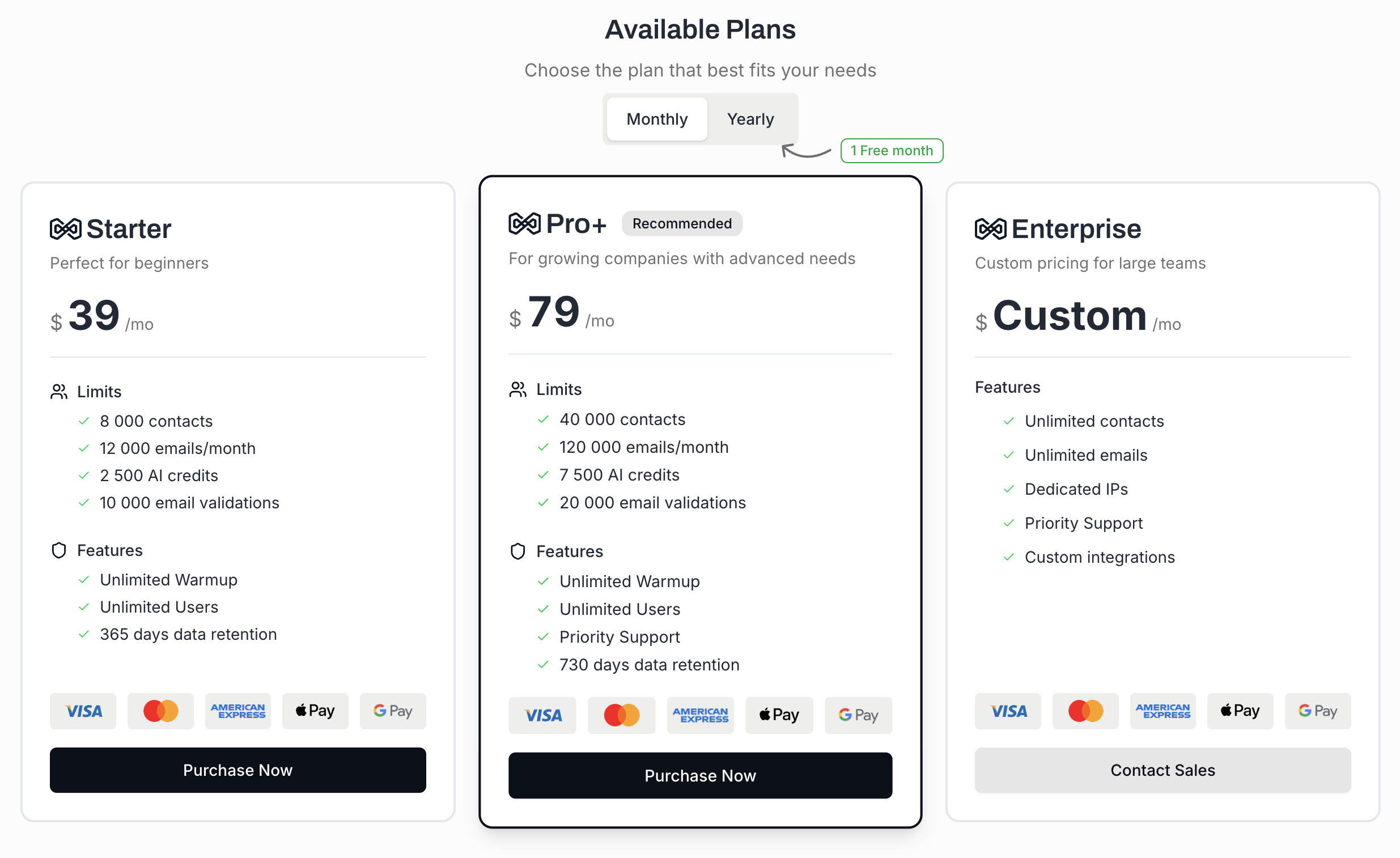
Perfect for beginners and small teams getting started with email outreach. Includes unlimited warmup and unlimited users.
For growing companies that want to send on volume. Higher limits than Starter, plus features such as the Public API and Subsequences, which are available on Pro+ and above.
For large teams that need custom limits, dedicated infrastructure, and hands-on support. To discuss the Enterprise plan, click Contact Sales on the Plans page or reach out through the in-app chat.
See the pricing page for the full comparison.
You can toggle between Monthly and Annually billing above the plan cards on the Plans page. Annual billing costs less than paying month by month - the current prices for both options are on the pricing page.
New accounts can start a 14-day free trial to try MailBeast before choosing a paid plan. Click Start 14-day Free Trial in the plan dialog that appears after sign-up.
At the end of your trial, choose a paid plan to keep sending. Without a paid plan, campaign sending stops.
Do unused credits roll over to the next month? No. Usage counters reset at the start of each billing period.
What happens when I reach my plan limit? The affected feature stops until the limit resets or you add capacity. For example, if you hit your monthly email limit, further campaign emails are canceled until the next billing period, an upgrade or an add-on. See Billing & Usage Overview for details.
Can I upgrade or add credits mid-cycle? Yes. You can upgrade your plan or purchase add-ons at any time. Changes take effect immediately.
How do I cancel or downgrade my plan? To downgrade, go to Settings > Plan Usage and pick a lower plan under Available Plans. To cancel, use Modify on the Billing tab. Either change takes effect at the end of your current billing period, so you keep your current plan until then.