If you are running out of contacts, emails, AI credits, or email validations before your billing period ends, you can purchase add-on packs instead of upgrading to a higher plan. Add-ons stack on top of your base plan limits.
MailBeast offers three add-on categories. Each add-on is sold in packs - use the sliders to choose how many packs you need.
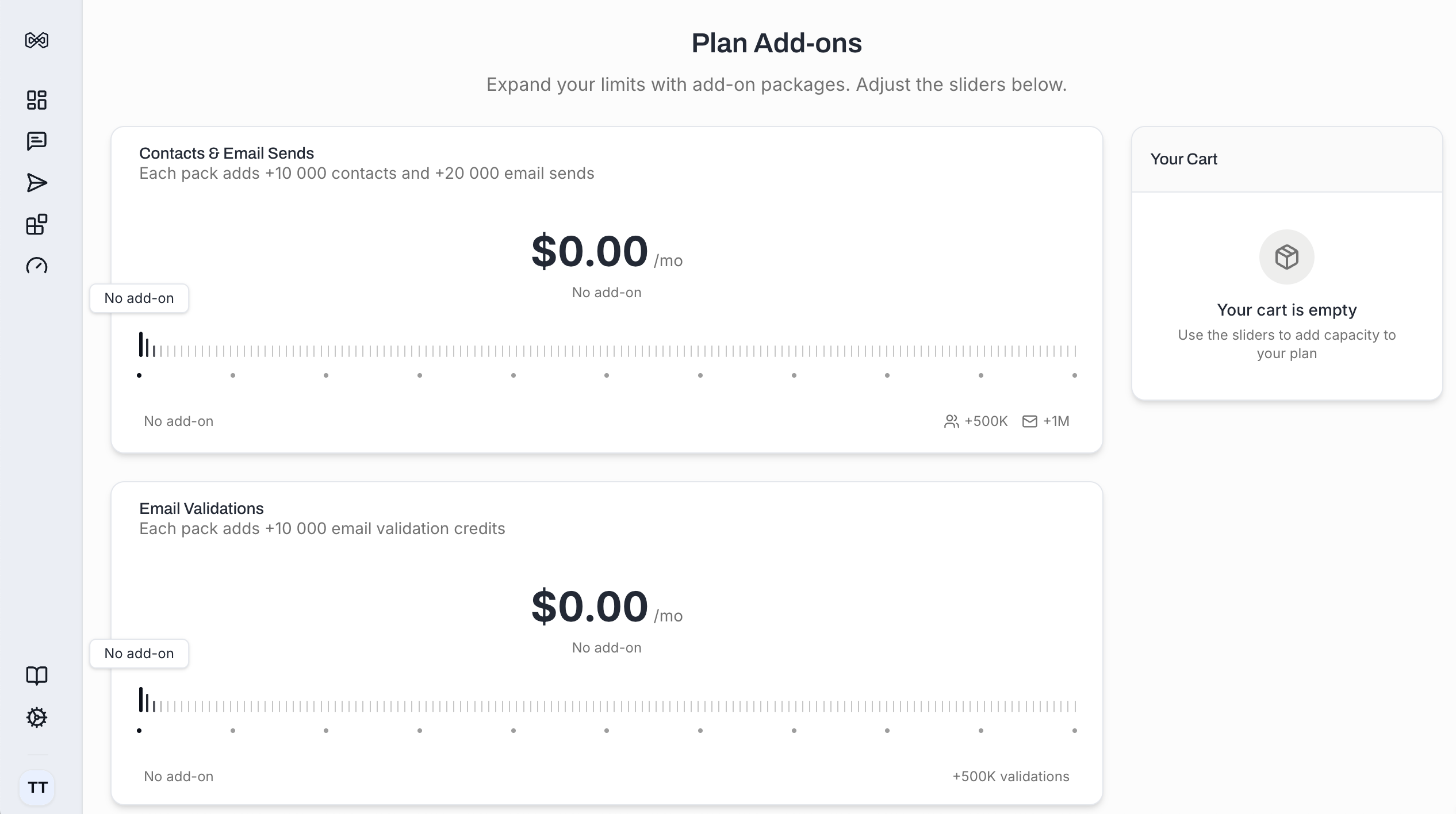
Add-On | What You Get Per Pack | Price Per Pack |
|---|---|---|
Contacts & Email Sends | +10,000 contacts and +20,000 emails/month | $26/mo |
Email Validations | +10,000 email validation credits | $19/mo |
AI Credits | +5,000 AI credits | $19/mo |
You can purchase up to 50 packs of each add-on type. If you need higher limits, contact us via support chat for an Enterprise plan.
Go to Settings > Plan Usage tab.
Scroll down to the Plan Add-ons section.
Use the sliders to select the number of packs for each add-on type.
The Your Cart panel on the right shows a live price preview with subtotal, tax, and total.
Click the purchase button to complete the transaction.
Your additional capacity is available immediately after purchase.

Note: Add-ons require an active paid plan (Starter or Pro+). If you are on the free tier, you will need to select a plan first.
Add-on capacity stacks directly on top of your base plan:
Example:
Base plan (Starter): 8,000 contacts + 12,000 emails/month
Add-on: 2 packs of Contacts & Emails (+20,000 contacts + 40,000 emails)
Effective limits: 28,000 contacts + 52,000 emails/month
You can see your effective limits (base + add-ons) on the Plan Usage tab at any time.
Through the Plan Usage tab, you can only increase add-ons quantity. If you need to decrease or cancel your add-ons, you can cancel individual add-on subscriptions from the Billing tab under Modify button.
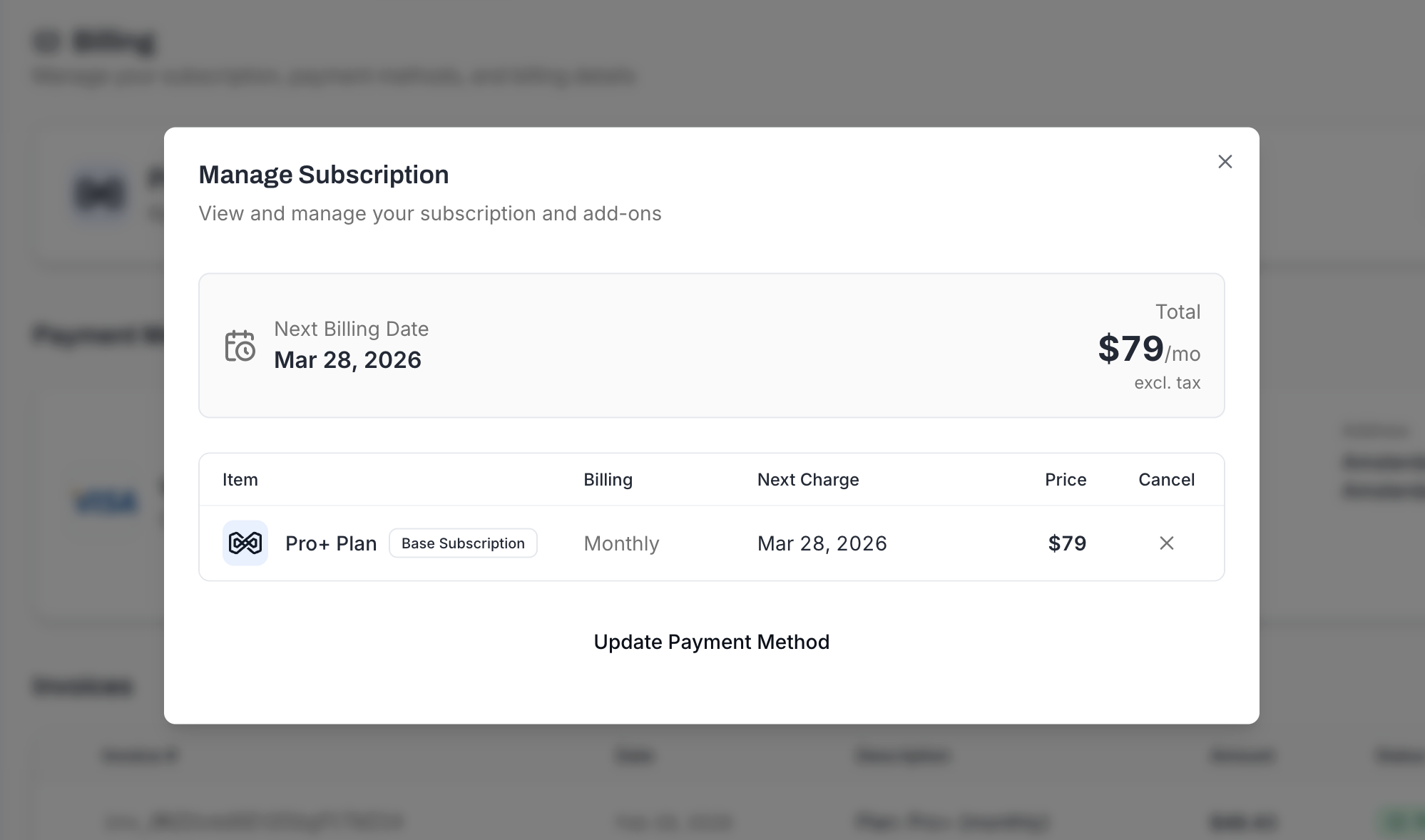
All add-ons & subscriptions cancellations or downgrades take effect in the next billing period.
Consideration | Add-Ons | Plan Upgrade |
|---|---|---|
Best for | Needing more of one specific resource | Needing more of everything |
Flexibility | Choose exactly what you need | Fixed bundles |
Cost | Pay per packs needed | Fixed monthly rate |
Additional features | No new features added | May include Priority Support, longer data retention |
Tip: If you find yourself buying multiple add-on packs regularly, it may be more cost-effective to upgrade to the next plan tier.