Before you send a single cold email, there is one foundational setup that determines whether your messages land in inboxes or disappear into spam folders: your DNS records.
This guide explains what DNS records are, why they matter, and how MailBeast checks them - so you can set up your domain with confidence.
Think of DNS (Domain Name System) as the phone book of the internet. When someone sends an email to [email protected], the receiving server looks up your domain's DNS records to answer two questions:
Where should I deliver this email? (Which mail servers handle your domain?)
Is this sender authorized? (Did the real domain owner approve this email?)
Without proper DNS records, your emails are like letters without a return address - suspicious and likely to be rejected or filtered to spam.
There are four DNS records that matter for email deliverability. Each serves a different purpose:
MX records tell the world which servers handle email for your domain. Without MX records, nobody can reply to your emails - receiving servers do not know where to route responses.
Analogy: MX is your mailing address. Without it, return mail has nowhere to go.
SPF is a list of servers authorized to send email on behalf of your domain. When a receiving server gets an email from yourdomain.com, it checks your SPF record to verify that the sending server is on the approved list.
Analogy: SPF is a guest list at the door. Only servers on the list are allowed through.
DKIM adds a digital signature to every email you send. The receiving server checks this signature against a public key published in your DNS to verify the email is authentic and was not modified in transit.
Analogy: DKIM is a wax seal on a letter - proof it came from you and has not been tampered with.
DMARC tells receiving servers what to do when SPF or DKIM checks fail. It is the policy enforcement layer that ties SPF and DKIM together and provides reporting on authentication failures.
Analogy: DMARC is the security policy - it defines the rules for what happens when someone fails the checks.
Every major email provider checks these records for every email they receive:
Gmail, Outlook, and Yahoo verify SPF, DKIM, and DMARC on every inbound message
Missing records lower trust, which increases the chance your email lands in spam
Since February 2024, Google and Yahoo require SPF, DKIM, and DMARC for bulk senders - without them, your emails may be rejected outright
MailBeast requires MX, SPF, and DKIM to be verified before enabling warmup, because warming up an account with broken DNS would waste time and harm your sender reputation
MailBeast runs DNS verification automatically and assigns a health score to each email account:
Automatic checks run when you connect a new account
Scheduled checks run periodically in the background to catch changes
Manual checks can be triggered from the account detail view
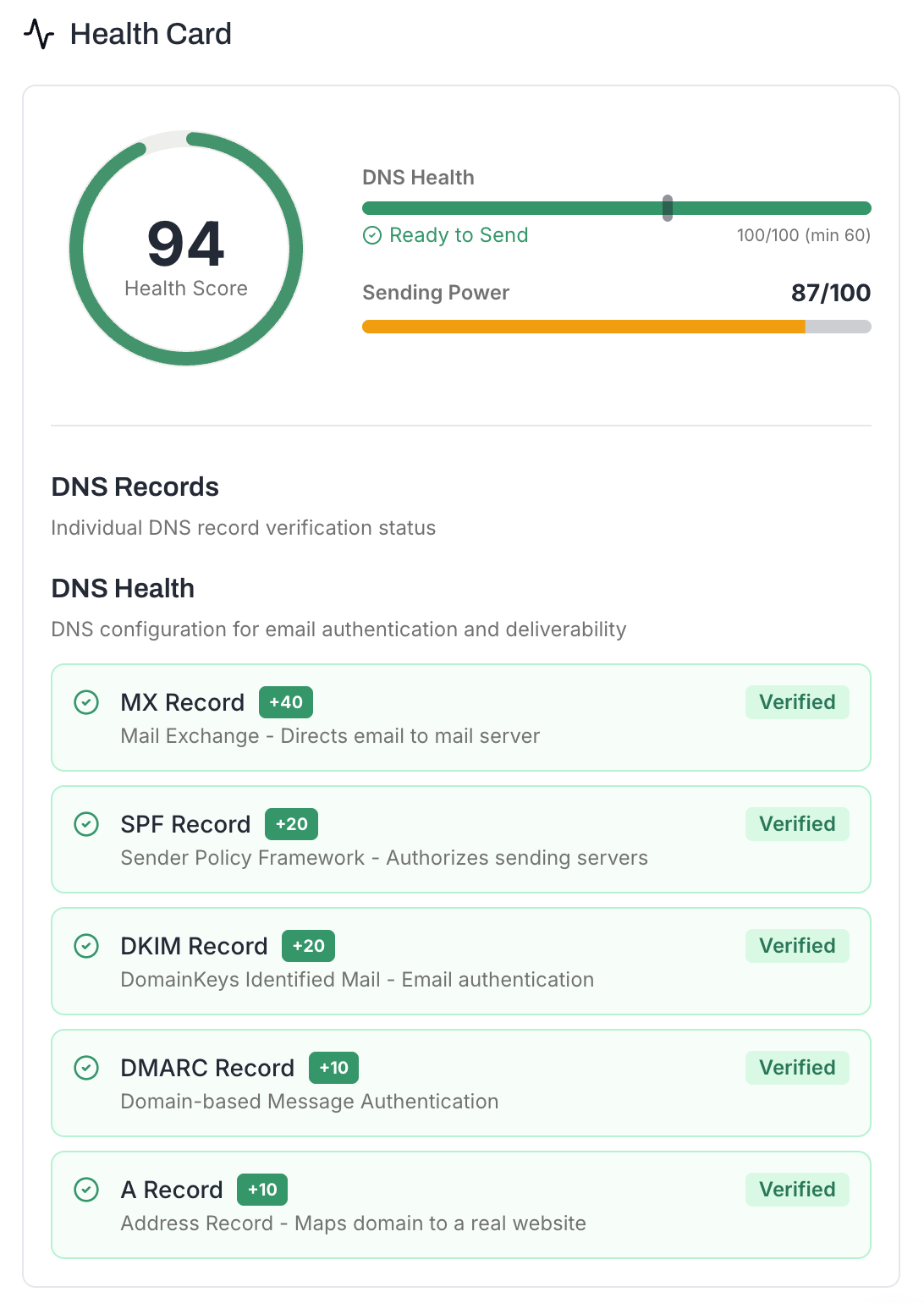
MailBeast checks 5 DNS records and assigns points for each:
DNS Record | Points | What It Verifies |
|---|---|---|
MX | 40 | Mail servers exist for your domain |
SPF | 20 | Authorized senders are listed |
DKIM | 20 | Email signing key exists |
DMARC | 10 | Authentication policy is defined |
A Record | 10 | Domain resolves to an IP address |
Total | 100 |
|
MX carries the most weight (40 points) because without mail servers, you cannot receive replies - and replies are critical for cold outreach.
A minimum DNS score of 60 is required to enable warmup and sending.
Setting up DNS records is a one-time task that takes 10-15 minutes per domain. Once configured, the records rarely need changes - but the impact on your deliverability is dramatic and permanent.
If your DNS is not set up correctly, no amount of great copy, perfect timing, or clever subject lines will help - your emails simply will not reach the inbox.
How to Set Up SPF, DKIM, and DMARC - The full authentication setup, all three records in one guide
Understanding Your DNS Health Score - Learn what your score means and how to improve it