

Warmup runs automatically once enabled. The only thing you'll watch is the badge in the Warmup column on the Email Accounts table. Four labels can appear, but only two represent the steady-state lifecycle of a healthy account.
Day 1 to Day 14: the visible ramp
For the first 14 days the badge shows Day 1, Day 2, ... up to Day 14, with an orange flame icon. Sending volume increases gradually each day according to your strategy.
What to do during this stretch:
Don't send campaigns from this account yet. It needs its full daily quota to build reputation.
Don't panic if some warmup emails land in spam early on. It's normal. The receiving seed accounts engage with those messages on purpose, and that engagement is what teaches ISPs to trust you.
The day counter advances on its own. Nothing to click.
Active (after Day 14)
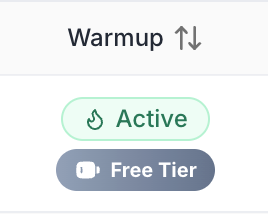
The badge switches to Active with a green flame. Your account is ready to send campaigns. From this point on, warmup keeps running in the background at a lower, maintenance-level volume that preserves the reputation you just built. The badge stays on Active for the life of the account.
You should see a consistently high inbox rate (80%+) by now. If it's lower, look at DNS, content quality, or list hygiene - not warmup itself.
When campaigns start sending
Warmup quietly scales back to make room for campaign volume. The two share the account's daily limit - you don't balance them manually. If campaigns pause, warmup picks back up to keep engagement flowing. The badge stays on Active throughout. The system just adapts.
Paused
The badge only shows Paused (red triangle) when something is wrong - DNS verification dropped, the account went inactive, or Emergency Stop fired. Hover the badge for the reason. See Warmup Troubleshooting and Warmup Troubleshooting.
Bottom line
Watch the day counter for 14 days. After that, leave the flame alone.
For configuration see Configuring Your Warmup.